
What Should You Do if Your Hearing Aid Gets Wet
Rhode Island summer weather can turn quickly. You might be enjoying a warm
By: admin | February 25, 2026
Everyday life puts you in a variety of listening situations, from quiet rooms at home to crowded stores, from casual one-on-one chats to larger group conversations.
In the past, hearing aids often required manual adjustments whenever your environment changed, which meant pausing to switch settings or turn dials just to follow what was happening around you.
Today’s hearing aids are designed to respond automatically to changes in sound, adjusting on their own as you move between different spaces. This allows you to focus on what you’re doing rather than constantly managing your devices.
Automatic adjustments can make listening feel smoother and less tiring. With the devices handling background noise, speech clarity and volume in real time, you can stay involved in conversations, meetings or everyday activities without extra effort.
Hearing aids come with different levels of technology, and understanding the differences can help you choose the right option for your needs. Basic hearing aids provide essential amplification, making sounds louder and easier to hear, but they often require manual adjustments in different environments.
Advanced hearing aids, on the other hand, include features like automatic noise reduction, directional microphones and connectivity to smartphones or other devices. These enhancements allow the hearing aids to adjust to changing surroundings, focus on speech and make listening less effortful.
While both types improve hearing, the added features in advanced models can make everyday conversations and activities feel smoother and more natural.
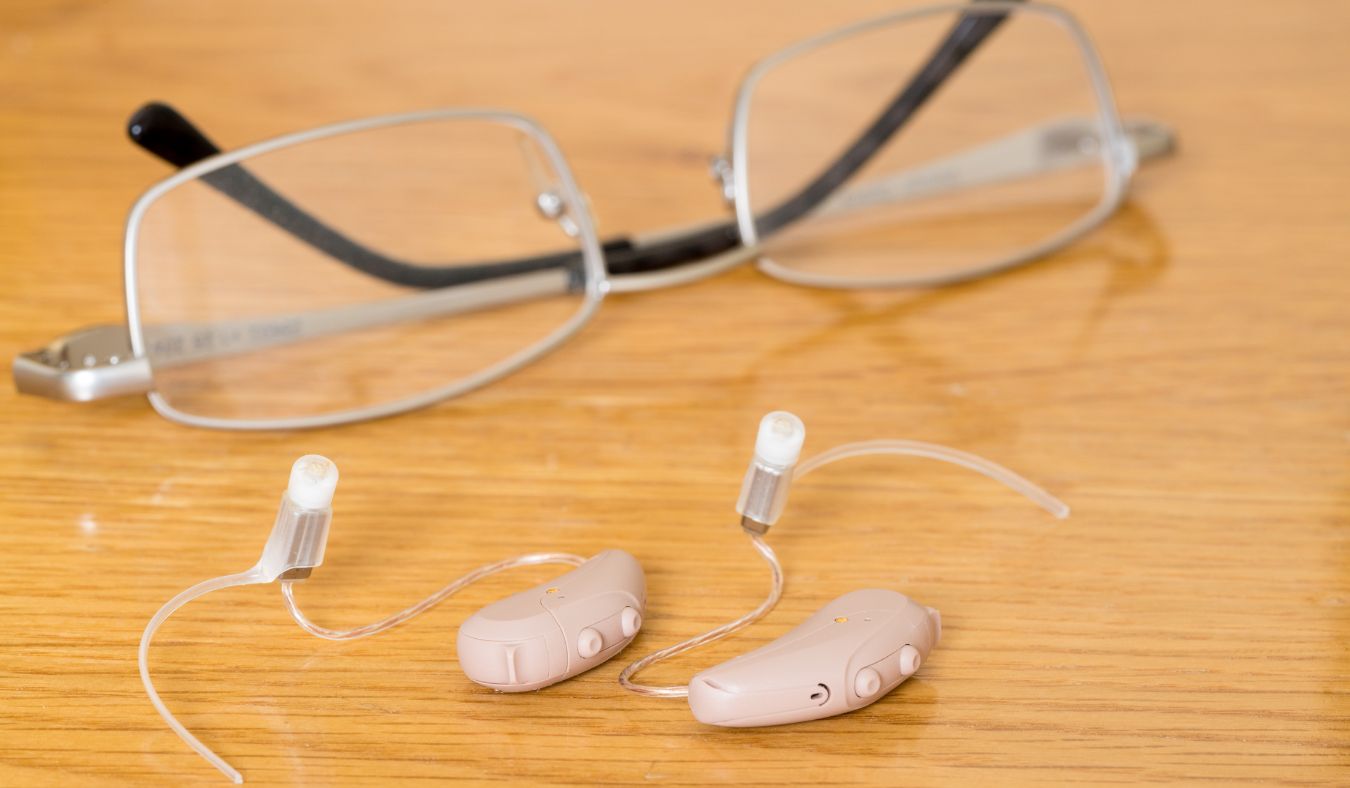
Smart hearing aids are equipped with several advanced features designed to improve your listening experience in a variety of situations.
These devices use small computers and sensors to automatically adjust volume, filter out background noise and focus on speech. Many models can connect directly to your smartphone or TV, making it easier to enjoy calls and entertainment.
Rechargeable batteries are common in smart hearing aids, reducing the need for frequent battery changes. Many devices also offer app-based controls, allowing you to fine-tune settings for greater comfort throughout the day.
These features work together to create a smoother listening experience across different environments.
Smart hearing aids are designed to identify the type of sound environment you are in by analyzing the sounds around you. They use built-in microphones and digital processors to detect differences in volume, background noise and speech patterns.
For example, the devices can distinguish between quiet rooms, busy streets or places with multiple conversations happening at once. Recognizing these differences, the hearing aids gather the information they need to respond appropriately, even before you notice a change in your surroundings.
The process of recognizing sound environments happens continuously and in real time. The devices track variations in sound throughout the day, from subtle shifts in background noise to sudden loud events.
This constant monitoring allows smart hearing aids to understand the context of what you are hearing, creating a foundation for more effective listening. Detecting these patterns, the devices can later make adjustments that help you hear more comfortably and clearly without you having to manage settings manually.
Modern hearing aids use automatic adjustment technology to help you hear better without needing to change settings yourself. With built-in microphones and sensors, these devices listen to your surroundings and identify whether you are in a quiet room, a noisy street or a place with many voices.
When your environment changes, your hearing aid quickly adapts its settings. For example, it may lower background noise in a busy cafe or enhance speech during a conversation. This allows you to focus on what matters most and helps listening feel more natural.
Automatic adjustment helps you feel confident in your device and comfortable in different environments. You spend less time on manual settings and more time with conversations and activities with the people around you.
Smart hearing aids handle background noise by detecting the sounds around you and prioritizing the ones that matter most, like speech. They use microphones and digital processing to separate voices from other noises, which helps make conversations clearer without making other sounds completely disappear.
Some devices can focus on the direction of the person speaking while reducing distractions from the sides or behind you. This approach allows you to follow discussions in busy places like restaurants, meetings or social gatherings with less effort, helping everyday listening feel easier and less tiring.
Speech enhancement features in smart hearing aids make it easier to follow conversations as your surroundings change. These features identify voices and make them clearer while minimizing distractions from background sounds.
They are especially helpful in environments where noise levels vary throughout the day. Common ways speech enhancement helps include:
These features reduce mental effort, letting you stay engaged without constantly straining to hear what is being said.
Automatic volume control and sound balancing features help keep sounds at a comfortable level without constant adjustments. These features sense changes in your environment and adjust the volume or balance of sounds so that speech remains clear and background noise does not become too loud
For those who are bothered by sudden loud noises or quiet voices, these automatic settings can make daily life easier.
Hearing aids with sound balancing help you feel more relaxed in busy places, knowing your device is working to keep everything at a steady, comfortable level. This technology supports you in hearing conversations and important sounds without extra effort.
Smart hearing aids allow you to shape how sound is delivered based on your personal preferences. As you use the device in different settings, you can adjust things like volume, tone and emphasis on speech or background sounds.
Over time, your hearing aids learn which adjustments suit you best, helping create a listening experience that feels natural and comfortable. This personalization makes it easier to handle a variety of environments without needing constant manual changes.
The ability to tailor sound also helps make everyday activities more enjoyable. Whether you are talking with a friend, attending a meeting or spending time in a busy cafe, your device can support the way you want to hear.
Small changes, like emphasizing voices over background noise or softening harsh sounds, can make a big difference in comfort and clarity. Having control over these settings gives you confidence that your hearing aids are working for you, not the other way around.
Bluetooth and wireless technology give you more ways to control your hearing aids, making daily listening easier and more flexible.
With Bluetooth, you can connect your hearing aids directly to your smartphone, tablet or TV. This lets you stream phone calls, music or other audio straight to your ears without extra devices.
Wireless options also allow you to adjust volume or change settings using an app on your phone. These tools help you manage your hearing aids quickly and quietly in different situations.
Battery life in hearing aids can be influenced by how often automatic adjustments are active. Features that constantly monitor your environment, like noise reduction, speech focus and directional microphones, use more power than basic amplification alone.
The complexity of the listening environment also plays a role; busy or noisy settings require the device to work harder, which can cause batteries to drain faster than in quiet, consistent environments.
Other elements can also affect battery performance even with automatic adjustments. For example, wireless connections to phones or streaming audio consume extra energy and extreme temperatures can reduce battery efficiency.
Regular maintenance, like keeping contacts clean and replacing disposable batteries on schedule, can help maintain consistent performance. Being aware of these factors allows individuals to plan ahead and ensures that their hearing aids continue to operate reliably throughout the day.
Getting used to the automatic features of your hearing aids may take some time, especially if you are used to making manual adjustments. At first, you might notice your device changing settings on its own in different places or situations.
Being patient as you adjust can help you feel more confident with the technology. Over time, many people find that these automatic features make daily listening easier and less stressful.
Sometimes, smart hearing aids may not seem to adjust as smoothly as expected, or you might notice changes in sound quality that make listening harder. If this happens, it is helpful to talk with your audiologist about possible adjustments.
Your audiologist will be able to fine-tune your device settings, so they match your daily needs more closely. Bringing notes about when and where you notice problems can help during your appointment. This information allows your audiologist to make targeted changes that improve comfort and clarity.
If you have recently changed jobs, started new activities or spend more time in different environments, it may also be helpful to review your settings. Regular check-ins with your audiologist keep your device working well as your lifestyle changes over time.
Smart hearing aids make it easier to enjoy clear sound wherever you go by automatically adjusting to your surroundings. This technology supports your well-being whether you are in busy restaurants, quiet rooms or anywhere life takes you.
If you would like more information about how these features could work for your needs, at Cranston Hearing Center, our team is available to answer questions and help 2you find the right solution for your lifestyle.
Our team is here to help guide you toward better hearing with solutions that adjust to your everyday life, ensuring a better quality of life.
Tags: hearing aid features, hearing aid products, hearing aid technology
Rhode Island summer weather can turn quickly. You might be enjoying a warm
By: admin | September 21, 2026

If you have ever come home after a busy day of meetings or a long family
By: admin | April 22, 2026
Everyday life puts you in a variety of listening situations, from quiet
By: admin | February 25, 2026